


Monitor
Monitor Price in Bangladesh starts from BDT 3000, and depending on brand and features, the price may go up to BDT 400,000. Buy latest original Monitor from A Gadget Monitor shop in BD. Browse below and order yours now!
সব ক্যাটাগরি

-
সব ক্যাটাগরি
-
হেলথ ও মেডিকেল
-
কিচেন টুলস ও কুকওয়্যার
-
স্মার্ট কিচেন টুলস
-
হোম অ্যাপ্লায়েন্স
-
টুলস ও আউটডোর
-
টুলস ও ইকুইপমেন্ট
-
হোম ইমপ্রুভমেন্ট
-
হোম ও বাথরুম অ্যাকসেসরিজ
-
ফ্যাশন ও লাইফস্টাইল
-
নারীদের ফ্যাশন
-
হেলথ ও বিউটি
-
স্কিন কেয়ার ও বডি কেয়ার
-
হেয়ার কেয়ার
-
মেকআপ ও বিউটি টুলস
-
কিচেন অ্যাপ্লায়েন্স
-
গিফট আইটেম
-
মোবাইল ও ইলেকট্রনিক্স
-
কম্পিউটার ও গেমিং
-
ক্যামেরা ও সিকিউরিটি
-
টিভি ও এন্টারটেইনমেন্ট
-
নেটওয়ার্কিং ও কানেক্টিভিটি
-
স্মার্ট গ্যাজেট
-
হোম ডেকর ও লাইটিং
-
স্টোরেজ ও অর্গানাইজেশন
-
কার ও বাইক এক্সেসরিজ
-
আউটডোর গিয়ার
-
ফার্নিচার
-
Mobiles
-
Content Creator Gears
-
Bluetooth Speaker
-
Travel Accessories
-
Wireless and Bluetooth
-
Smartphones
-
TV
-
Fan
-
Smartwatches
-
Money & Banking
-
Laptops
-
Headphone & Earphone
-
Kitchen Appliances
-
Mobile Accessories
-
Decoration
-
Subscription
-
Computers & Office
-
Personal Care
-
Smart Watch
-
Trending Products
-
Refrigerator & Freezer
-
AC
-
Security Products
-
Gaming Accessories
-
Baby & Kids Products
-
Tools and Equipment
-
OFFICE & DESK
-
হোম ও কিচেন
দাম
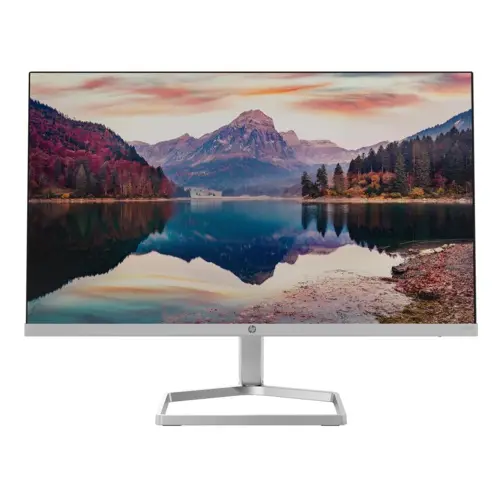
Monitor
Best Monitors in Bangladesh (2026) – Office, Gaming & Professional Displays at A Gadget
Your monitor is your window to the digital world. Whether you are crunching spreadsheets, editing 4K video, or battling in the latest esports title, the quality of your display directly impacts your productivity, creativity, and enjoyment. A great monitor delivers crisp visuals, accurate colors, and smooth motion, transforming your daily computing experience.
At A Gadget (agadgetbd.com), we bring you a curated selection of the best monitors in Bangladesh—from budget-friendly office displays and high-refresh-rate gaming monitors to color-accurate professional panels for designers and content creators. Upgrade your visual experience with A Gadget—your trusted destination for authentic computer hardware in Bangladesh.
Why You Need a Quality Monitor
A good monitor is more than just a screen—it is an investment in your comfort, productivity, and performance. Here is why choosing the right monitor matters:
Crystal-Clear Visuals: Higher resolutions and better panel technologies deliver sharper text, more detailed images, and truer colors.
Reduced Eye Strain: Flicker-free technology, low blue light modes, and ergonomic adjustments make long hours at the computer more comfortable.
Immersive Gaming: High refresh rates (144Hz–240Hz+) and low response times (1ms) provide a competitive edge with smoother, tear-free gameplay.
Professional Accuracy: For graphic designers, video editors, and photographers, color-accurate IPS panels with wide sRGB and AdobeRGB coverage are essential.
Enhanced Productivity: Larger screens and higher resolutions allow you to multitask efficiently with multiple windows side-by-side.
Versatility: With multiple connectivity options (HDMI, DisplayPort, USB-C), modern monitors connect seamlessly to laptops, desktops, and gaming consoles.
Types of Monitors Available in Bangladesh
Monitors come in various types to suit different needs and budgets. Here is a detailed breakdown:
1. Office & Student Monitors
Designed for daily tasks such as browsing, studying, document editing, and office applications. IPS panels are highly recommended for their excellent color accuracy and wide viewing angles.
Best For: Office work, students, general home use.
Recommended Size: 21.5″ – 24″
Panel Type: IPS (preferred) or VA
Refresh Rate: 75Hz – 100Hz
Resolution: Full HD (1920×1080)
Price Range: ৳5,000 – ৳12,000+
Popular Models: Xiaomi Redmi 1A (23.8″ IPS, 100Hz), Dell SE Series
2. Gaming Monitors
Designed for smooth, responsive performance with high refresh rates and fast response times. These monitors provide a competitive advantage in esports and immersive AAA gaming experiences.
Best For: PC gamers, esports enthusiasts, console gaming.
Key Features: High refresh rate (144Hz–240Hz+), 1ms response time, Adaptive Sync (FreeSync/G-Sync), low input lag.
Panel Type: Fast IPS or TN (for competitive speed)
Price Range: ৳14,000 – ৳60,000+
Popular Models: Xiaomi Redmi G24 (23.8″, 180Hz), MSI MAG 255F X24 (24.5″, 240Hz Rapid IPS), ASUS TUF Gaming Series
3. Professional & Creative Monitors
Engineered for graphic designers, video editors, photographers, and content creators who demand exceptional color accuracy, wide color gamut, and high resolution.
Best For: Graphic design, photo/video editing, 3D work, animation.
Key Features: Factory calibration, wide color gamut (sRGB, AdobeRGB, DCI-P3), high resolution (2K/QHD or 4K UHD), IPS panel.
Panel Type: Premium IPS
Price Range: ৳25,000 – ৳80,000+
Popular Models: BenQ PD2705Q (QHD, 100% sRGB), Dell UltraSharp U2723QE, LG 27UP850 (4K UHD, HDR10), ASUS ProArt Series
4. Curved Monitors
Designed for immersive viewing experiences, curved monitors wrap around your field of vision, reducing distortion at the edges and creating a more cinematic feel.
Best For: Gaming, movie watching, immersive productivity.
Key Features: Curved VA or IPS panels, high refresh rates, wide aspect ratios.
Price Range: ৳25,000 – ৳50,000+
Popular Models: Dahua LM34-E330C (34″ Curved, 165Hz), Samsung Curved Series
5. UltraWide Monitors
Featuring 21:9 or even 32:9 aspect ratios, ultrawide monitors provide expansive screen real estate for multitasking and immersive gaming.
Best For: Productivity, video editing, simulation gaming.
Key Features: Wide aspect ratio, high resolution, split-screen capabilities.
Price Range: ৳30,000 – ৳1,00,000+
Monitor Panel Types Explained
The type of panel a monitor uses has a significant impact on color accuracy, viewing angles, contrast, and response time. Here is a quick comparison:
| Panel Type | Pros | Cons | Best For |
|---|---|---|---|
| IPS (In-Plane Switching) | Excellent color accuracy, wide viewing angles, versatile | Lower contrast than VA, slightly slower response than TN | Design, office work, general use, gaming |
| VA (Vertical Alignment) | Deep blacks, high contrast ratios, good for movies | Narrower viewing angles, slower response times | Movie watching, casual gaming |
| TN (Twisted Nematic) | Fastest response times, affordable | Poor color reproduction, limited viewing angles | Competitive gaming (speed-focused) |
Recommendation: For most users in 2026, IPS remains the preferred choice due to its superior balance of performance and color fidelity.
Key Features to Consider Before Buying a Monitor
Choosing the right monitor requires understanding your specific needs. Use this comprehensive buying guide:
1. Purpose of Use
Determine what you will primarily use the monitor for:
| Use Case | Recommended Type |
|---|---|
| Office Work / Studying | 22″–24″ IPS, Full HD, 75Hz–100Hz |
| Gaming | 24″–27″ IPS or TN, 144Hz–240Hz+, 1ms, FreeSync/G-Sync |
| Graphic Design / Video Editing | 27″+ IPS, 2K/QHD or 4K, 99%+ sRGB, factory calibrated |
| Movie Watching / Entertainment | 27″+ VA or IPS, Curved, high contrast ratio |
| Multitasking / Productivity | 27″+ IPS, QHD or 4K, ultrawide option |
2. Screen Size
19″–22″: Basic use, budget-friendly, limited space.
24″: The sweet spot for most users—great for office work, gaming, and general use.
27″: Ideal for productivity, gaming, and creative work—but pair with QHD or 4K for sharpness.
32″+: Professional use, immersive gaming, ultrawide setups.
19″–22″: Basic use, budget-friendly, limited space.
24″: The sweet spot for most users—great for office work, gaming, and general use.
27″: Ideal for productivity, gaming, and creative work—but pair with QHD or 4K for sharpness.
32″+: Professional use, immersive gaming, ultrawide setups.
3. Resolution
Full HD (1920×1080): Most common and budget-friendly. Sharp enough for 21.5″–24″ monitors.
QHD / 2K (2560×1440): Noticeably better clarity—ideal for 27″ monitors and productivity.
4K UHD (3840×2160): Ultra-sharp detail—gold standard for creative professionals.
Full HD (1920×1080): Most common and budget-friendly. Sharp enough for 21.5″–24″ monitors.
QHD / 2K (2560×1440): Noticeably better clarity—ideal for 27″ monitors and productivity.
4K UHD (3840×2160): Ultra-sharp detail—gold standard for creative professionals.
4. Refresh Rate (Hz)
60Hz: Standard for office work and everyday use.
75Hz–100Hz: Smoother scrolling and motion—good for general users.
144Hz–180Hz: The sweet spot for gaming—significantly smoother motion.
240Hz+: Competitive esports—ultra-smooth, minimal input lag.
60Hz: Standard for office work and everyday use.
75Hz–100Hz: Smoother scrolling and motion—good for general users.
144Hz–180Hz: The sweet spot for gaming—significantly smoother motion.
240Hz+: Competitive esports—ultra-smooth, minimal input lag.
5. Response Time (ms)
5ms+: Fine for office work and general use.
1ms–5ms: Ideal for gaming—reduces motion blur and ghosting.
5ms+: Fine for office work and general use.
1ms–5ms: Ideal for gaming—reduces motion blur and ghosting.
6. Connectivity
HDMI: Standard for most devices—laptops, desktops, gaming consoles.
DisplayPort: Preferred for high refresh rates and gaming monitors.
USB-C: Modern connectivity for laptops—charges and transmits video.
VGA: Older standard—still found on some budget monitors.
HDMI: Standard for most devices—laptops, desktops, gaming consoles.
DisplayPort: Preferred for high refresh rates and gaming monitors.
USB-C: Modern connectivity for laptops—charges and transmits video.
VGA: Older standard—still found on some budget monitors.
7. Ergonomics & Adjustability
Height Adjustment: Essential for proper posture and comfort.
Tilt, Swivel, Pivot: Flexibility for different desk setups.
VESA Mount: Allows mounting on monitor arms or wall mounts.
Height Adjustment: Essential for proper posture and comfort.
Tilt, Swivel, Pivot: Flexibility for different desk setups.
VESA Mount: Allows mounting on monitor arms or wall mounts.
8. Additional Features
Adaptive Sync (FreeSync/G-Sync): Eliminates screen tearing for smoother gaming.
HDR (High Dynamic Range): Enhanced contrast and color for more vibrant visuals.
Built-in Speakers: Convenient for basic audio needs.
Low Blue Light / Flicker-Free: Reduces eye strain during long sessions.
Adaptive Sync (FreeSync/G-Sync): Eliminates screen tearing for smoother gaming.
HDR (High Dynamic Range): Enhanced contrast and color for more vibrant visuals.
Built-in Speakers: Convenient for basic audio needs.
Low Blue Light / Flicker-Free: Reduces eye strain during long sessions.
Monitor Price in Bangladesh (2026)
Prices vary based on type, brand, size, and features. Here is a comprehensive price guide based on current market data:
| Monitor Type | Price Range (BDT) | Best For |
|---|---|---|
| Basic 19″–22″ Monitors | ৳4,000 – ৳8,000+ | Budget setups, students, basic use |
| Entry-Level Full HD 22″ | ৳8,000 – ৳12,000+ | Office work, everyday computing |
| Mid-Range Full HD 24″ | ৳12,000 – ৳20,000+ | Gaming, office, general use |
| 27″ FHD IPS Monitors | ৳16,000 – ৳22,000+ | Content watching, office work, basic design |
| Gaming Monitors (144Hz+) | ৳14,000 – ৳60,000+ | Gamers, esports enthusiasts |
| Professional/QHD Monitors | ৳25,000 – ৳50,000+ | Designers, video editors, creative professionals |
| 4K UHD Monitors | ৳30,000 – ৳80,000+ | Creative professionals, ultra-sharp detail |
| Curved/Ultrawide Monitors | ৳25,000 – ৳1,00,000+ | Immersive gaming, multitasking, entertainment |
Popular Monitor Brands Available at A Gadget
At A Gadget, we stock 100% original monitors from globally trusted brands:
| Brand | Known For | Popular Series |
|---|---|---|
| Samsung | Vibrant displays, curved monitors, QLED technology | Odyssey (Gaming), Smart Monitor Series |
| LG | Premium IPS panels, excellent color accuracy | UltraGear (Gaming), UltraFine (Professional) |
| Dell | Professional-grade displays, reliable office monitors | UltraSharp, P Series, SE Series |
| HP | Reliable for office and business use | V Series, M Series, EliteDisplay |
| MSI | High-performance gaming monitors | MAG, Optix, PRO MP Series |
| ASUS | Fast refresh rates, esports-ready displays | TUF Gaming, ROG Swift, ProArt |
| Acer | Budget-friendly and gaming-friendly options | Nitro (Gaming), SA Series |
| Xiaomi | Affordable monitors with great value | Redmi 1A, Redmi G24 |
| BenQ | Color-accurate monitors for creative professionals | PD Series (Design), EX Series |
| ViewSonic | Reliable monitors for gaming and professional use | XG Series (Gaming), VP Series (Professional) |

আমাদের সম্পর্কে

Policy
শপ
আপনার অ্যাকাউন্ট
© 2026 Thanks From A Gadgets | All rights reservedPowered by Biponik
